What Is Automation System Integration and How Does It Work?

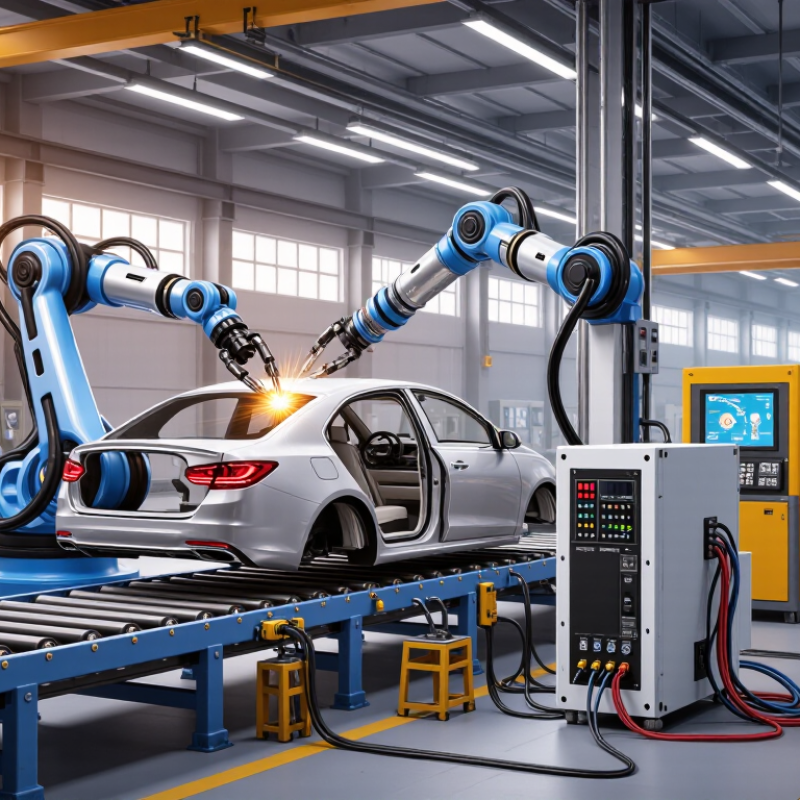
A robot arm can weld a car door with millimeter-level repeatability, but it cannot improve a production line alone. It needs dependable signals from sensors, controllers, safety systems, and planning software. Automation system integration connects these parts so equipment can exchange data and coordinate tasks. The International Federation of Robotics reported 4,281,585 industrial robots operating in factories worldwide in 2023, a 10% increase from the previous year (World Robotics 2024). More robots mean more opportunities for automation—and more interfaces that must work together.

Integration is not simply plugging machines into a network. Engineers define process requirements, select compatible hardware, configure control logic, and test how systems behave under real operating conditions. A photoelectric sensor may detect a box, while a programmable logic controller signals a conveyor and a robot picks the item. Meanwhile, production software can record the event for scheduling or quality analysis. Details matter. Deloitte and MAPI’s 2024 Smart Manufacturing Survey found that 86% of surveyed manufacturing executives expected smart manufacturing to help drive competitiveness over the following five years. Yet connected equipment does not guarantee better results. Poor data, unclear responsibilities, or rushed commissioning can create new problems. And integration can disappoint. A careful approach treats cybersecurity, maintainability, worker training, and measurable performance as design requirements, not afterthoughts. This article explains what automation system integration involves, how a typical project works, and what organizations should assess before connecting machines, controls, and business systems.
What Is Automation System Integration and How Does It Work?

What Automation System Integration Means

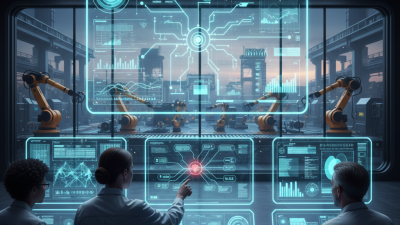
Automation system integration means connecting machines, control devices, software, and data so they work as one coordinated operation. A programmable controller may collect signals from a photoelectric sensor, adjust a conveyor, and pass production counts to a monitoring system. The goal is not simply to add automation. It is to make equipment exchange useful, timely information with fewer manual handoffs. On a factory floor, that can mean operators see a jam alert on one screen instead of checking three separate panels. Integration also involves agreeing on data formats, control logic, and safe responses when equipment fails. Details matter.

The International Federation of Robotics reported 4,281,585 industrial robots operating worldwide in 2023. Its World Robotics 2024 report put global robot density at 162 robots per 10,000 manufacturing employees. These figures show the scale of automated equipment that plants may need to coordinate.

Still, connecting more devices does not guarantee smoother production. Older machines can use incompatible interfaces, and a poorly mapped signal can send misleading readings. Integration often requires testing each handoff, documenting changes, and involving the people who run the line.

It can be less seamless than a diagram suggests. That is worth admitting: even a well-designed system needs adjustment as products and workflows change.

Core Components of an Integrated Automation System

An integrated automation system connects sensors, actuators, controllers, networks, and software into one operating flow. Sensors measure details such as tank level or conveyor speed. Programmable controllers act on those signals, while supervisory systems display alarms and trends. The International Federation of Robotics reported 4.28 million industrial robots operating worldwide in 2023, showing the scale of equipment that modern plants may need to coordinate. More robots do not automatically mean better integration.

The network carries commands and production data between machines, control rooms, and higher-level systems. Manufacturing execution software can link machine status with work orders, while planning systems connect production needs to inventory. Safety circuits and access controls also matter; they should not be treated as optional add-ons. Integration is rarely tidy. A sensor may report in milliseconds, while a planning system updates much more slowly.

Deloitte’s 2024 smart manufacturing survey found that 92% of surveyed manufacturing executives viewed smart manufacturing as a driver of competitiveness over the next three years. That ambition depends on reliable data, clear interfaces, and teams who understand both operations and controls. For example, a jammed conveyor should trigger a local stop, a clear operator message, and an accurate production record. Even then, the system can miss an awkward handoff. Engineers need to test those edges, not just the normal cycle.

How Automation Systems Are Connected and Configured

Automation system integration connects machines, sensors, controllers, and software so they can share useful signals. In practice, a technician may link a photoelectric sensor to a programmable controller, then send production counts to a supervisory dashboard. The physical wiring is only part of the job. Teams must also agree on signal names, data formats, alarm rules, and what happens when communication fails.

The International Federation of Robotics reported 4,281,585 industrial robots operating worldwide in 2023, with 541,302 newly installed that year. These figures show why reliable interfaces matter: more automated equipment means more systems exchanging data.

That matters. Engineers often configure gateways and network addresses, map each machine’s tags, and test responses under real operating conditions. A dashboard that updates during a quiet test may still lag when several machines send data together.

Configuration also includes practical safeguards, such as access permissions, backup settings, and clear fault messages. Not always. Older equipment may use protocols that do not fit neatly with newer controls, so an adapter or manual tag mapping can be needed.

That work is easy to underestimate. A useful integration plan records each connection, tests what happens after a cable or network interruption, and involves operators who know the line’s everyday quirks. Even then, labels can be inconsistent; teams should review them before relying on reports.

How Data and Commands Flow Through the System

In an automation system, data usually begins at a sensor: a temperature probe reports 82°C, or a photoelectric sensor detects a passing carton. A programmable controller reads these signals, checks them against logic, then sends commands to motors, valves, or alarms. A gateway can translate protocols and pass selected values to supervisory software or a manufacturing execution system. Each tag needs a clear name, unit, timestamp, and source. Otherwise, a dashboard may show a number without explaining what it measures.

Commands travel back down the chain, but operators should set permissions and safe limits. A high-temperature reading might trigger a fan, while an operator command changes a setpoint. The controller returns feedback, confirming whether the fan actually started. That is the loop. In practice, this part is often messier than diagrams suggest: stale timestamps, mismatched units, and dropped connections can distort decisions. The International Energy Agency’s Energy Efficiency 2023 report puts industry at about 37% of global energy use, making reliable process data valuable for spotting waste. Deloitte’s 2024 Smart Manufacturing Survey found 86% of respondents expect smart manufacturing to drive competitiveness within five years. Those figures describe the opportunity, not a guaranteed result. Integration works best when teams test command paths, record changes, and verify readings against the equipment itself.

What Is Automation System Integration and How Does It Work? — How Data and Commands Flow Through the System

A representative industrial automation workflow showing how measurements, commands, status updates, and records move between connected system layers.

Flow Source Data or Command Typical Interface Destination Typical Timing Integration Check
Measurement input Temperature or pressure sensor Process value and signal quality 4–20 mA, digital I/O, or IO-Link PLC input module Continuous; commonly updated every few milliseconds to seconds, depending on the device and application Confirm scaling, engineering units, wiring, and out-of-range behavior
Control decision PLC logic Output state or setpoint calculated from inputs and control logic Local I/O or industrial field network Motor drive, valve, or other actuator PLC scan and device response time; configured for the process requirements Verify interlocks, output limits, fail-safe state, and actuator feedback
Operator command HMI screen Start, stop, mode selection, or approved setpoint change Industrial Ethernet using a configured controller communication protocol PLC command interface On operator action; acknowledgement is typically returned within seconds Check user permissions, command acknowledgement, and rejection messages
Production instruction Manufacturing execution or scheduling system Work order, product identifier, target quantity, or recipe reference OPC UA, an authenticated API, or a message-based interface Cell controller or production gateway Event-driven or periodic; commonly seconds to minutes, according to the workflow Validate identifiers, recipe version, quantity, permissions, and duplicate messages
Supervisory monitoring PLC or gateway Process values, equipment states, and alarm conditions OPC UA or another configured industrial data protocol SCADA system Cyclic or change-based updates; often hundreds of milliseconds to several seconds Check tag mapping, timestamps, quality flags, and alarm limits
Historical record SCADA or data gateway Time-stamped measurements, events, and selected status changes Historian connector or secure data service Time-series historian Continuous ingestion; storage frequency depends on sampling and change rules Confirm time synchronization, retention policy, data quality, and gap handling
Production feedback Cell controller or SCADA system Completed quantity, cycle status, downtime reason, or batch result OPC UA, API, or message queue Manufacturing execution or reporting system At defined events or reporting intervals Use consistent units and event identifiers; verify delivery and reconciliation

Where Automation Integration Is Used and What It Requires

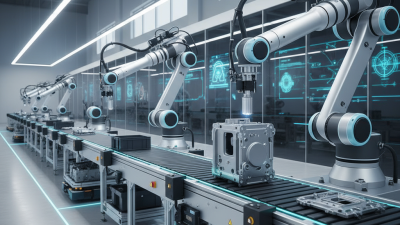
Automation system integration connects machines, sensors, software, and control equipment so they can share information and coordinate tasks. It is used in manufacturing lines, warehouses, water treatment facilities, and commercial buildings. For example, a packaging line may use photoelectric sensors to detect each carton, a controller to adjust conveyor speed, and monitoring software to flag repeated jams. The value is not simply faster operation. Well-planned integration can improve visibility, consistency, and maintenance decisions.

Tips: Map the process before choosing equipment. Record where data comes from, who needs it, and what action follows an alarm. Test one section first. A small pilot often reveals timing or communication problems that look minor on a diagram.

Integration requires compatible interfaces, accurate process information, and staff who understand both operations and controls. Teams may need to connect older machines with newer systems, which can involve gateways or carefully designed data exchanges. They should also plan for access permissions, backups, operator training, and safe shutdown behavior. These details are easy to underestimate. In practice, a technically successful connection can still frustrate operators if alerts are unclear or screens hide useful details. Leave room to revise the design after real shifts expose what the initial plan missed.

×
img

    Contact Info

    PHONE NUMBER

    +1 (619) 661-5985

    EMAIL ADDRESS

    sale@roboticemotion.com

    ADDRESS INFO

    10030 Via de la Amistad San Diego CA 92154, United States