
What Is a Desktop Robot and How Does It Work?
A Desktop Robot is a compact machine designed to sense, process, and respond within a workspace. It may sit beside a monitor, move across a table, or assist with repetitive laboratory tasks. Unlike industrial robots, it usually operates near people and uses smaller motors, cameras, microphones, or touch sensors.
Rodney Brooks, a robotics pioneer and co-founder of iRobot, once said, “The robots are coming, but they are not coming for your jobs.” His observation offers useful perspective. A Desktop Robot rarely behaves like a human replacement. Instead, it performs focused actions, such as sorting objects, tracking movement, demonstrating code, or supporting education.
Its operation follows a practical loop. Sensors collect information from the surrounding desk. An onboard processor interprets that data. Software then selects a response. Motors, wheels, grippers, lights, or speakers carry out the instruction. For example, a vision sensor might detect a red block, while a servo gently moves an arm toward it.
The process sounds simple.
It is not always simple.
Lighting changes can confuse cameras. Loose cables can restrict movement. Poor training data can produce unreliable decisions. These limitations matter, especially when people share the same workspace. Safe design therefore includes speed limits, collision detection, emergency stops, and clear user controls.
The term itself remains broad. Some products are programmable tools, while others offer conversational features or limited autonomy. This article examines what a Desktop Robot actually does, how its hardware and software cooperate, and where practical expectations should remain cautious. A small machine can feel remarkably intelligent. It can also make an ordinary mistake.
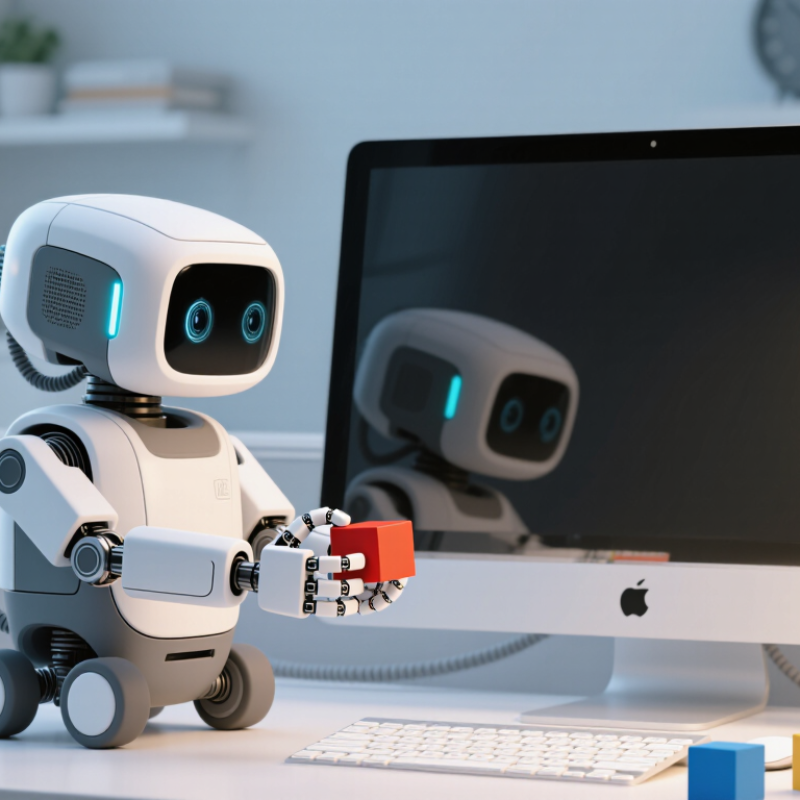
What Is a Desktop Robot?
A desktop robot is a compact robotic device designed to work on a table, counter, or laboratory bench. It may move small objects, respond to voice commands, display information, or demonstrate mechanical principles. Unlike industrial robots, it usually operates within a limited area and handles lighter tasks. Its small size makes testing easier and reduces the need for complex installation.
Most desktop robots contain a controller, motors, sensors, and software. The controller receives information from cameras, touch sensors, microphones, or distance detectors. Software then interprets that information and selects an action. A motor might rotate an arm, turn a wheel, or adjust a small gripper. For example, when a sensor detects an object nearby, the robot can stop, change direction, or attempt to pick it up.
The result depends heavily on sensor quality and programming. A robot may misread a shiny surface or fail when an object is heavier than expected. It is not thinking like a person. It is following trained patterns, programmed rules, or both. I have found that clear lighting and stable surfaces improve performance, although this is not guaranteed. Even simple movements can require careful calibration. That limitation matters. A desktop robot is useful for learning, prototyping, monitoring, and repetitive assistance, but it still needs human supervision in many real-world situations.
What Is a Desktop Robot and How Does It Work?
| Data Dimension | Typical Description or Value | How It Works | Practical Use |
|---|---|---|---|
| Definition | A compact programmable robot designed to operate on a desk, workbench, laboratory surface, or other small workspace. | It combines mechanical joints, electronic control hardware, sensors, and software to perform programmed movements or tasks. | Suitable for education, prototyping, light assembly, inspection, demonstrations, and research. |
| Common Robot Types | Desktop robotic arms, small mobile robots, desktop gantry robots, delta-style robots, and educational robot kits. | Each type uses a different mechanical structure to control position, orientation, or movement across a defined workspace. | Robot arms handle objects; mobile robots navigate surfaces; gantry robots move tools or parts along linear axes. |
| Typical Footprint | Approximately 200–600 mm wide and 200–600 mm deep, depending on the design and working range. | A smaller base and shorter links reduce the space required for operation compared with industrial robots. | Can be installed on laboratory benches, classroom tables, maker workstations, and compact production cells. |
| Working Reach | Commonly about 200–800 mm from the robot base for small robotic arms. | Reach is determined by arm-link length, joint arrangement, and the robot's permitted motion limits. | Defines the area in which the robot can pick, place, inspect, or manipulate objects. |
| Number of Axes | Usually 3–6 axes; some simple systems use fewer axes, while articulated arms commonly use four or more. | Each axis provides an independent movement, such as rotation or linear travel. | More axes generally provide greater flexibility in approaching objects from different directions. |
| Payload Capacity | Often approximately 0.1–5 kg for compact desktop robotic arms, with the exact value depending on arm length and speed. | The motors and transmission system generate the force needed to move the tool and workpiece without exceeding structural limits. | Determines whether the robot can handle items such as small components, sensors, tools, or sample containers. |
| Motion Mechanism | Electric servo motors, stepper motors, belts, gears, lead screws, or direct-drive joints. | The controller sends position, speed, and acceleration commands to the motor drivers. | Provides repeatable movement for tasks such as sorting, dispensing, drawing, and light assembly. |
| Control System | A microcontroller, single-board computer, industrial motion controller, or computer-connected control unit. | It converts programmed instructions into coordinated motor commands and monitors feedback from sensors. | Controls movement sequences, task timing, safety responses, and communication with external devices. |
| Position Feedback | Rotary encoders, magnetic sensors, potentiometers, limit switches, or step-count monitoring. | Feedback allows the controller to estimate or measure joint position and correct movement errors. | Improves positioning accuracy, repeatability, homing, and protection against travel-limit violations. |
| End Effector | Grippers, suction cups, pens, screwdrivers, dispensing nozzles, cameras, or small specialized tools. | The end effector is attached to the robot's final axis and interacts directly with the workpiece or environment. | Determines what the robot can physically do, such as gripping, writing, dispensing, or inspecting. |
| Power Requirement | Commonly supplied by low-voltage DC power or an external AC-to-DC adapter; power varies with motor size and load. | Electrical power is converted into controlled motor torque and supplied to sensors, processors, and accessories. | Compact power systems make desktop robots practical for offices, classrooms, laboratories, and workshops. |
| Programming Methods | Graphical block programming, waypoint teaching, scripting, application programming interfaces, or preconfigured software. | Users define coordinates, movement paths, timing, input conditions, and tool actions. | Allows users with different levels of technical experience to create and modify robot tasks. |
| Communication Interfaces | USB, serial communication, Ethernet, Wi-Fi, Bluetooth, or general-purpose input and output connections. | The robot exchanges commands, status information, sensor data, and program files with a computer or other equipment. | Supports remote control, data logging, integration with cameras, and connection to laboratory or classroom systems. |
| Typical Accuracy | Often measured in fractions of a millimeter to several millimeters, depending on mechanics, calibration, payload, and workspace. | Accuracy describes how close the robot moves to a commanded position, while repeatability describes how consistently it returns to that position. | Fine positioning is important for inspection, drawing, dispensing, and small-part handling. |
| Operating Speed | Usually lower than that of full-scale industrial robots; practical speed depends on payload, trajectory, and safety limits. | The controller limits velocity and acceleration to reduce vibration, overshoot, noise, and collision risk. | Lower operating speed is generally appropriate for learning, prototyping, and human-supervised work. |
| Sensor Types | Encoders, force sensors, distance sensors, cameras, infrared sensors, touch sensors, and limit switches. | Sensors provide information about position, contact, distance, visual features, or the surrounding environment. | Enables object detection, collision prevention, quality checks, navigation, and adaptive control. |
| How a Basic Task Runs | Plan the motion, move to a starting position, approach the object, perform the tool action, and return or continue to the next step. | The control software executes a sequence of coordinates and conditions while monitoring system feedback. | Used for repeatable pick-and-place, sorting, dispensing, drawing, testing, or inspection routines. |
| Safety Features | Emergency stop controls, current limits, software travel limits, collision detection, protective covers, and reduced-speed modes. | Safety functions stop or restrict motion when a fault, excessive load, unexpected contact, or unsafe condition is detected. | Helps reduce injury, equipment damage, and workpiece loss during supervised operation. |
| Typical Limitations | Limited payload, smaller work area, lower speed, restricted stiffness, and sensitivity to calibration or surface stability. | Compact motors and lightweight mechanical structures provide portability but limit force and operating range. | Best suited to light-duty, small-scale, educational, laboratory, and prototype applications. |
Note: Values are representative ranges for desktop-scale robots. Actual performance depends on the mechanical design, tool, payload, software settings, calibration, and operating environment.


